Word Hunt Puzzle Game

Reviews
Word Hunt Puzzle Game offers a peaceful yet engaging experience for word lovers. The variety of themes keeps the game interesting, and the adjustable difficulty levels make it accessible for both beginners and experienced players. The smooth WebGL performance ensures no lag during play. A perfect choice for casual brain training.
Description
Game Introduction
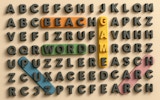
Word Hunt Puzzle Game invites players to explore a world of letters and discovery. This relaxing yet brain-boosting puzzle game challenges players to find all hidden words within a grid of letters. Themes range from animals and birds to countries, food, and family, offering a broad variety of topics to keep the experience fresh. Designed for casual players and word masters alike, the game provides thousands of words to discover across multiple levels and difficulty modes. Built with WebGL technology, it delivers smooth, fast gameplay directly in the browser with no download required. Whether you are looking to sharpen your vocabulary, improve your mental agility, or simply enjoy a peaceful word-hunting session, Word Hunt Puzzle Game provides an educational and entertaining experience suitable for all ages.
How to Play
Players begin by selecting a theme from the available list, such as Animals, Food, or Career. A grid of letters then appears, containing hidden words related to that theme. The objective is to find each word by swiping or clicking across the letters in a straight line—horizontally, vertically, or diagonally. As words are discovered, they are crossed off the list. If players get stuck, a hint feature is available to reveal a letter or word. The game tracks progress, and difficulty levels can be adjusted to match the player's skill. Completing all themes challenges the player and helps boost cognitive abilities.
Game Features
Smooth WebGL gameplay ensures a responsive experience. Thousands of words are available to discover across various themes. Multiple difficulty levels allow players to choose a challenge that fits their skill. Helpful hints are provided when needed. The game requires no download for instant play in the browser.
Tips for Success
To improve word search skills, start by scanning the grid for common letter patterns or prefixes. Focus on one word at a time to avoid confusion. Use the hint feature sparingly to build independent word-finding abilities. Practice with different themes to expand vocabulary. Taking short breaks can help maintain concentration during longer sessions. Consistent play will sharpen pattern recognition and speed over time.