Flight Simulator 3D Online
Reviews
Real Flight Simulator: 3D Airplane Game Online stands out for its balanced approach to simulation. The progressive levels teach fundamental skills without overwhelming new players, while the realistic 3D physics keep experienced users engaged. The variety of planes and hidden content add replay value, encouraging players to master each aircraft. Controls are intuitive, and performance metrics provide useful feedback for improvement. It is a solid choice for family-friendly entertainment that also offers genuine learning value.
Description
Game Introduction
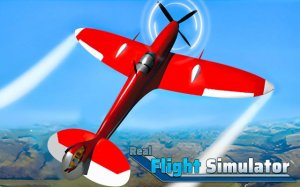
Real Flight Simulator: 3D Airplane Game Online is a simulation game that puts you in the cockpit of a detailed 3D aircraft. The core objective is to learn and practice the basics of flying in a realistic yet accessible environment. What makes it unique is its focus on providing a welcoming introduction to aviation for players of all ages, combining realistic physics with simplified controls to create an immersive but low-pressure experience. Whether you are a casual player or an aspiring pilot, this game offers a calm and rewarding way to explore the skies.
How to Play
Players typically start by learning fundamental operations such as turning on the engine and taxiing along the runway. As you progress, you move on to in-air steering, altitude control, and eventually mastering smooth landings. The cockpit controls are simplified for ease of use, so you do not need to memorize complex instrument panels. Key performance metrics like speed, power, maneuverability, and brake efficiency are displayed to help you adjust your controls for better performance with each attempt. The game guides you through structured progressive levels that build skills step by step.
Game Features
Realistic 3D physics make every flight feel authentic. Diverse planes offer variety in handling and appearance. Progressive learning levels help build skills gradually. Fun hidden content rewards exploration and repeated play. The simulation includes detailed 3D aircraft models and an immersive flying environment. The game is designed for both short sessions and longer practice, making it suitable for various play styles.
Tips for Success
Practice regularly to improve your control and confidence. Start with the basic levels to master takeoff and landing before attempting more advanced maneuvers. Pay attention to the performance metrics displayed during flight, as they can help you fine-tune your technique. Take your time exploring the hidden content, as it can provide additional rewards and enhance your experience. Finally, stay patient and enjoy the learning process—flying is a skill that improves with each attempt.
✅ Compatibility & Testing
All games on this site are manually tested on: • Desktop (Windows 11, macOS Ventura) • Mobile (iPhone 14, Samsung Galaxy S23) • Tablet (iPad Pro, Android tablet) 📌 Supported browsers: Chrome, Safari, Edge, Firefox (latest versions) 📌 Not supported: Internet Explorer, older browser versions