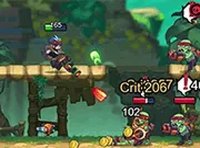
Pixel Quest Platformer

Reviews
Pixel Quest Platformer captures the charm of classic side-scrolling games with its pixel art and responsive controls. The adjustable difficulty makes it welcoming for newcomers while still offering a challenge for veterans. Colorful levels and a fun final boss keep the experience engaging from start to finish.
Description
Game Introduction
Pixel Quest Platformer is a side-scrolling action game that combines classic jump-and-run gameplay with a charming pixel art style. Players explore vibrant levels filled with obstacles and enemies, aiming to reach the end of each stage. The game emphasizes skill-based movement and timing, offering a nostalgic experience for fans of retro platformers. With its colorful visuals and lighthearted tone, it is designed to be accessible to players of all ages while still providing a satisfying challenge. The core objective is to navigate through each level, collect helpful items, and ultimately face a final boss that tests the abilities learned along the way.
How to Play
Players control a character using keyboard or game controller inputs to move left and right, jump over gaps and obstacles, and interact with items. The main tasks are to complete each level safely, collect bonus items, and avoid or overcome enemies by learning their movement patterns. Progress is automatically saved between levels, allowing players to take breaks and resume later. The final goal is to reach the last level and defeat the final boss using all the skills gained throughout the adventure.
Game Features
Pixel Quest Platformer includes adjustable difficulty settings to suit different skill levels. It features smooth and responsive controls, vibrant and colorful level designs, and a fun boss battle at the end. The game also offers automatic progress saving for flexible play sessions, making it easy to pick up and play at any time.
Tips for Success
Take time to learn each enemy's movement pattern to avoid unnecessary damage. Collect all available items, as they may provide helpful boosts or extra points. Practice jumping and timing to navigate tricky gaps and platforms. If you get stuck, try replaying earlier levels to refine your skills. Stay patient during the final boss fight and use the techniques you have mastered throughout the game.