Track Dash Arcade Rider
Reviews
Track Dash Arcade Rider offers a focused driving challenge that stands out for its gradual difficulty curve and responsive controls. The obstacles are varied enough to keep each level interesting, and the lack of a time limit reduces frustration. It runs smoothly on both desktop and mobile, making it a reliable choice for casual play. The family-friendly presentation is a plus, and the simple mechanics make it easy to recommend to players of any age.
Description
Core Driving Mechanics
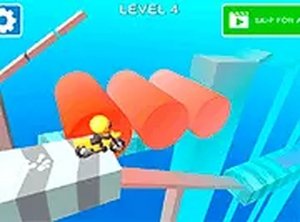
In Track Dash Arcade Rider, your main task is to guide a vehicle along a forward-scrolling track while avoiding various obstacles that appear in your path. The controls are straightforward: use the arrow keys or on-screen buttons to move left or right. Some sections require precise timing to clear gaps or pass through narrow openings. The game rewards careful observation and quick reactions rather than speed, making it accessible to players of different skill levels.
Obstacle Variety and Track Design
The tracks feature a range of moving hazards that change as you progress. Early stages introduce simple barriers that move at a steady pace, allowing you to get comfortable with the controls. Later sections include obstacles that swing across the road, spin in place, or shift unpredictably. Each new hazard requires a slightly different approach, encouraging you to adapt your strategy on the fly. The track layout itself also changes, with curves and narrow sections adding to the challenge.
Progression and Learning Curve
The difficulty increases gradually, so you never feel overwhelmed. Early levels focus on mastering basic movement and timing, while later stages combine multiple obstacle types in quick succession. There is no countdown timer, which means you can take your time to study each section before moving forward. This design supports a steady learning process, where each attempt builds on the previous one. The game keeps track of your progress, allowing you to return to where you left off.
Visual Style and Device Support
The graphics are clean and colorful, with a clear view of the track and upcoming obstacles. The game runs smoothly in most modern browsers and adapts well to different screen sizes. Whether you are playing on a desktop computer or a mobile device, the controls remain responsive. A full-screen option is available for a more focused experience. The overall presentation is bright and family-friendly, with no disturbing imagery or themes.
Tips for Improving Your Runs
To get better at Track Dash Arcade Rider, focus on learning the timing of each obstacle type. Watch how they move before committing to a lane change. Staying calm and making deliberate moves often works better than rushing. Using full-screen mode can help you spot hazards earlier. Regular practice will sharpen your reflexes and help you recognize patterns more quickly, making each run smoother than the last.
✅ Compatibility & Testing
Faq
Is Track Dash Arcade Rider free to play?
Can I play Track Dash Arcade Rider on my phone or tablet?
How many levels are there in Track Dash Arcade Rider?
What happens if I crash into an obstacle?
Does Track Dash Arcade Rider have any in-app purchases or ads?
Is Track Dash Arcade Rider suitable for young children?
Handpicked Games

Lemonade Fruit Slicer Arcade

Vertical Climb Parkour Runner

Alien Planet Journey

Stickman Archer Target Challenge

Tiny Archer: Precision Arcade Game

Arcade Champion: Martial Arts Training

Hidden Boss Search Puzzle

Urban Explorer Quest Arcade

Red Boat Tap Quest

Desert Racing Arcade Adventure

Swing Adventure Arcade Fun